Enhance content quality
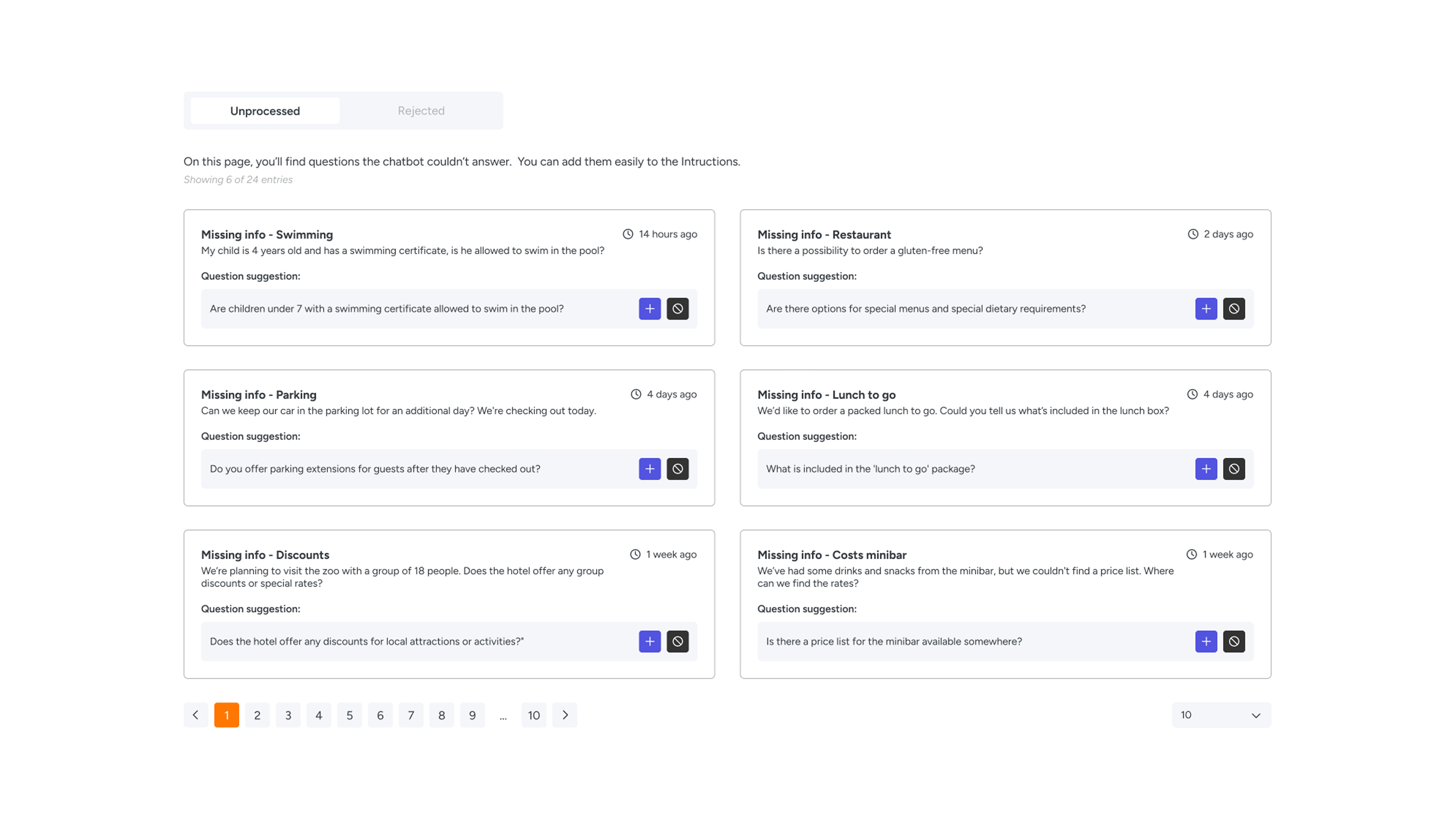
Never miss an opportunity to provide optimal support to your users. Whenever the AI Assistant receives a question it cannot yet answer fully or concretely, it is automatically added to your overview. This allows you to expand the AI's knowledge purposefully and continuously improve the quality of your service.
zoom_in
How does it work?
When users ask questions the Assistant hasn't been trained on yet, they automatically appear in the 'Unprocessed' tab. Here, you can review exactly what was asked and at what time.
Managing these questions is simple:
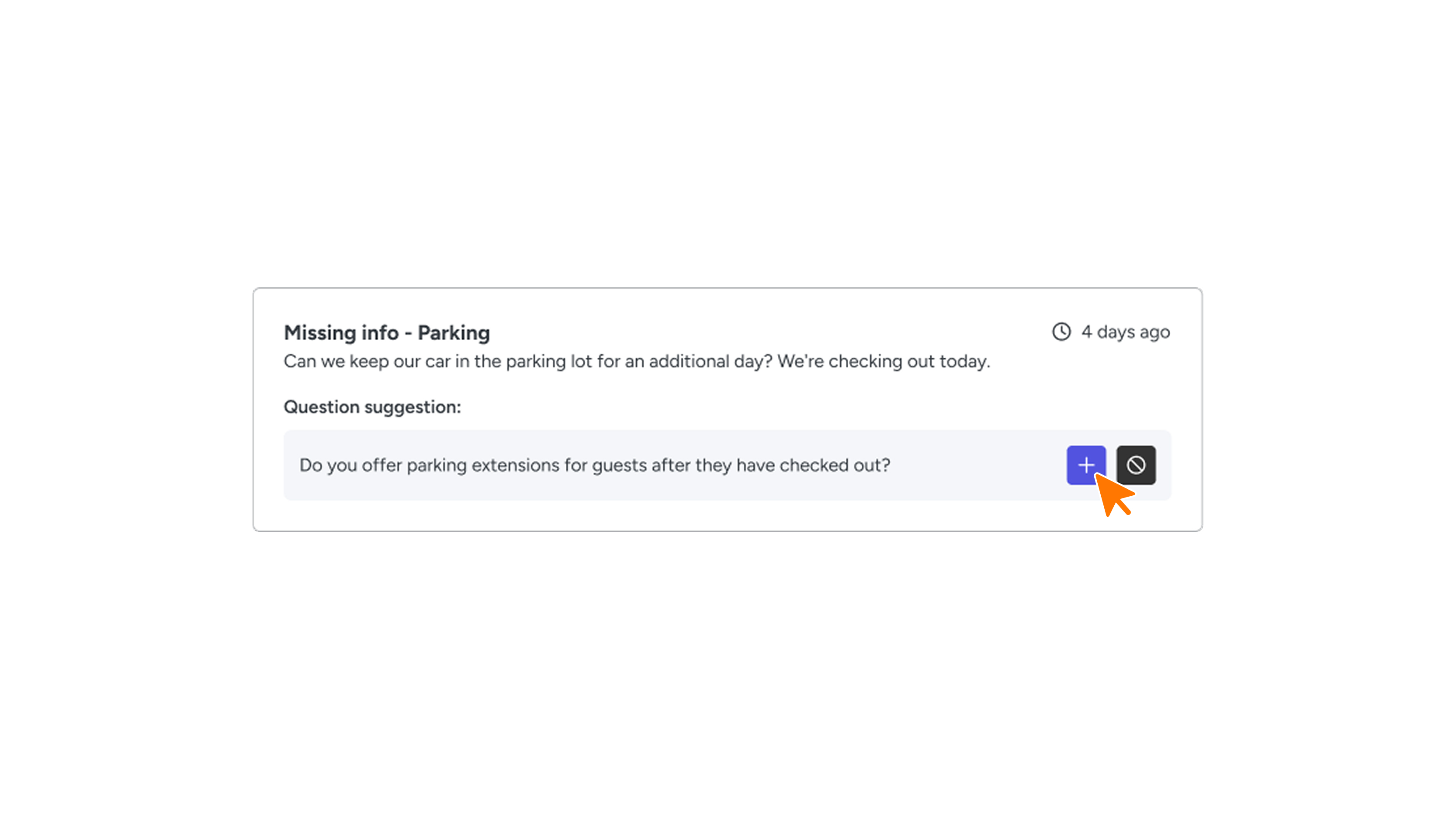
- Add Questions (Training): Determine if a question is valuable for your Assistant’s knowledge base. By linking the question to an answer in your system, you train the Assistant instantly. This ensures that the next time a similar question is asked, the Assistant provides a correct and concrete response.
- Reject Questions: Is a question too specific, irrelevant, or unsuitable for the Assistant? You can reject it. The question will then move to the 'Rejected' tab, keeping your overview clean and focused.
zoom_in
Why is this feature important?
By actively managing your 'Unprocessed' questions, you help your AI Assistant grow. It is a powerful way to:
- Close Knowledge Gaps: Identify exactly what users want to know that your current information doesn't cover.
- Improve User Experience: The more the AI knows, the faster and better it can assist your users.
- Maintain Relevance: By filtering out irrelevant queries, you keep the Assistant’s knowledge base clean and effective.
