Neighbours
With the Neighbours module, residents can get to know each other before they even move in. As long as their neighbours have created a profile, they can see who’s moving in nearby. Creating a profile is optional, but in practice, almost all students fill one out — after all, what’s more fun than finding out who your new neighbours will be?
How does the rader work?
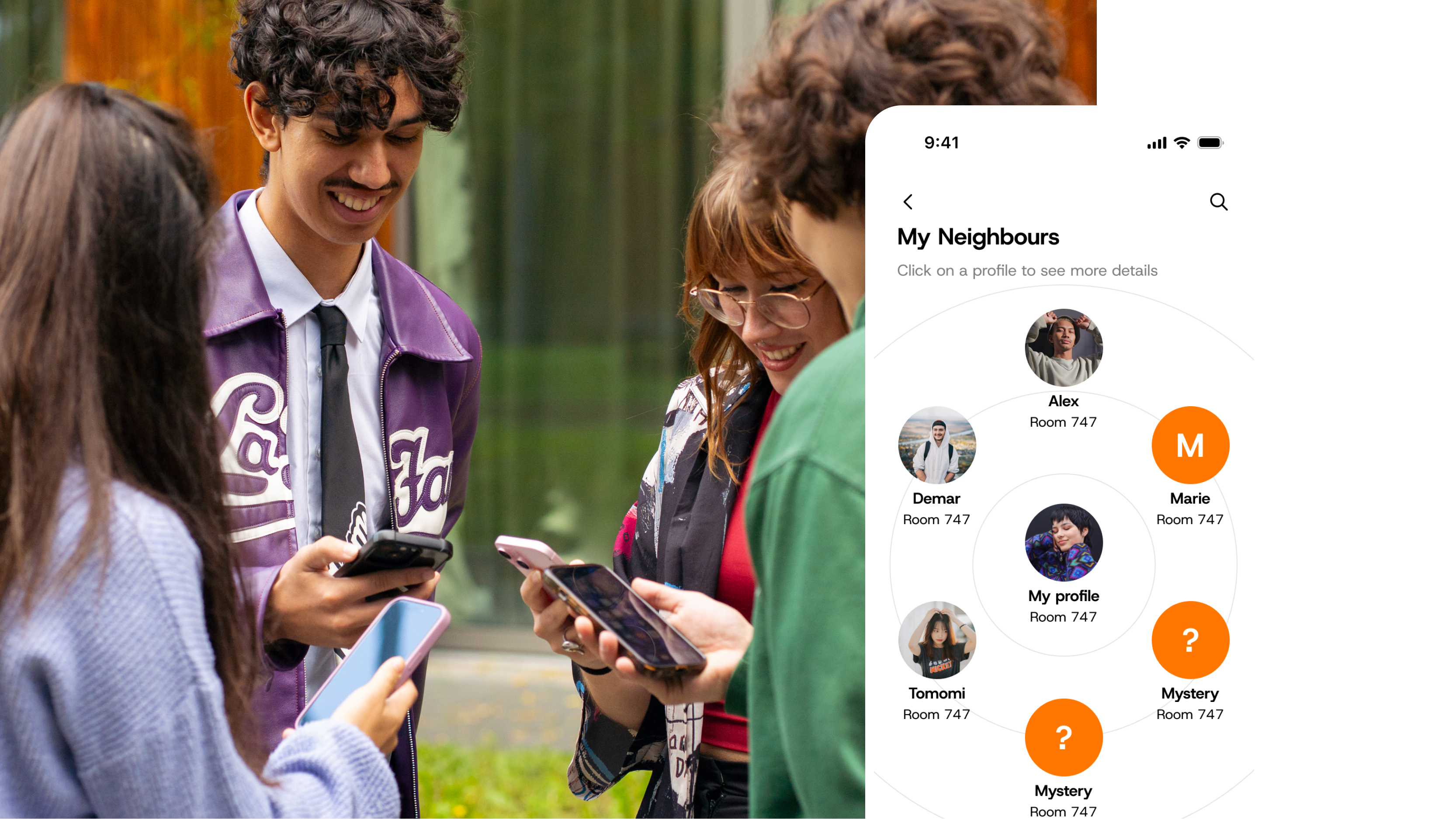
On the radar, residents can see neighbours in their immediate area. Direct neighbours can also view each other’s house numbers. If a resident signs up for Neighbours but prefers not to share their room with direct neighbours, this can easily be turned off in the privacy settings.
Neighbours who haven’t signed up yet appear as 'Mystery' on the map.
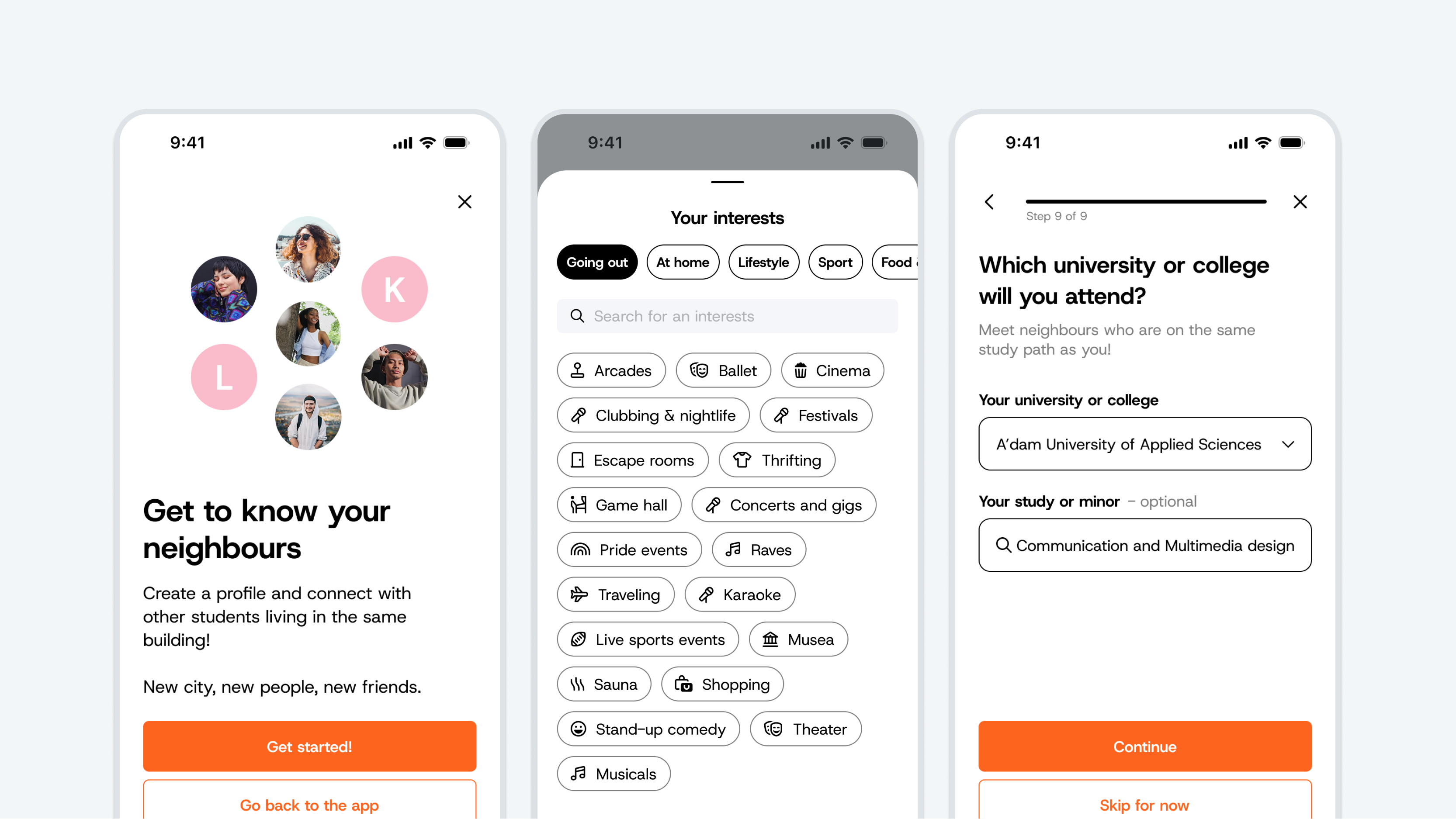
If a resident receives the message "It looks like you're the first one" after signing up, it simply means they are the first on the radar to activate the module in their neighbourhood; other residents will follow naturally. Using the search function at the top of the screen, residents can also see who is already using the Neighbours module elsewhere in the building outside of their immediate area.
Profile
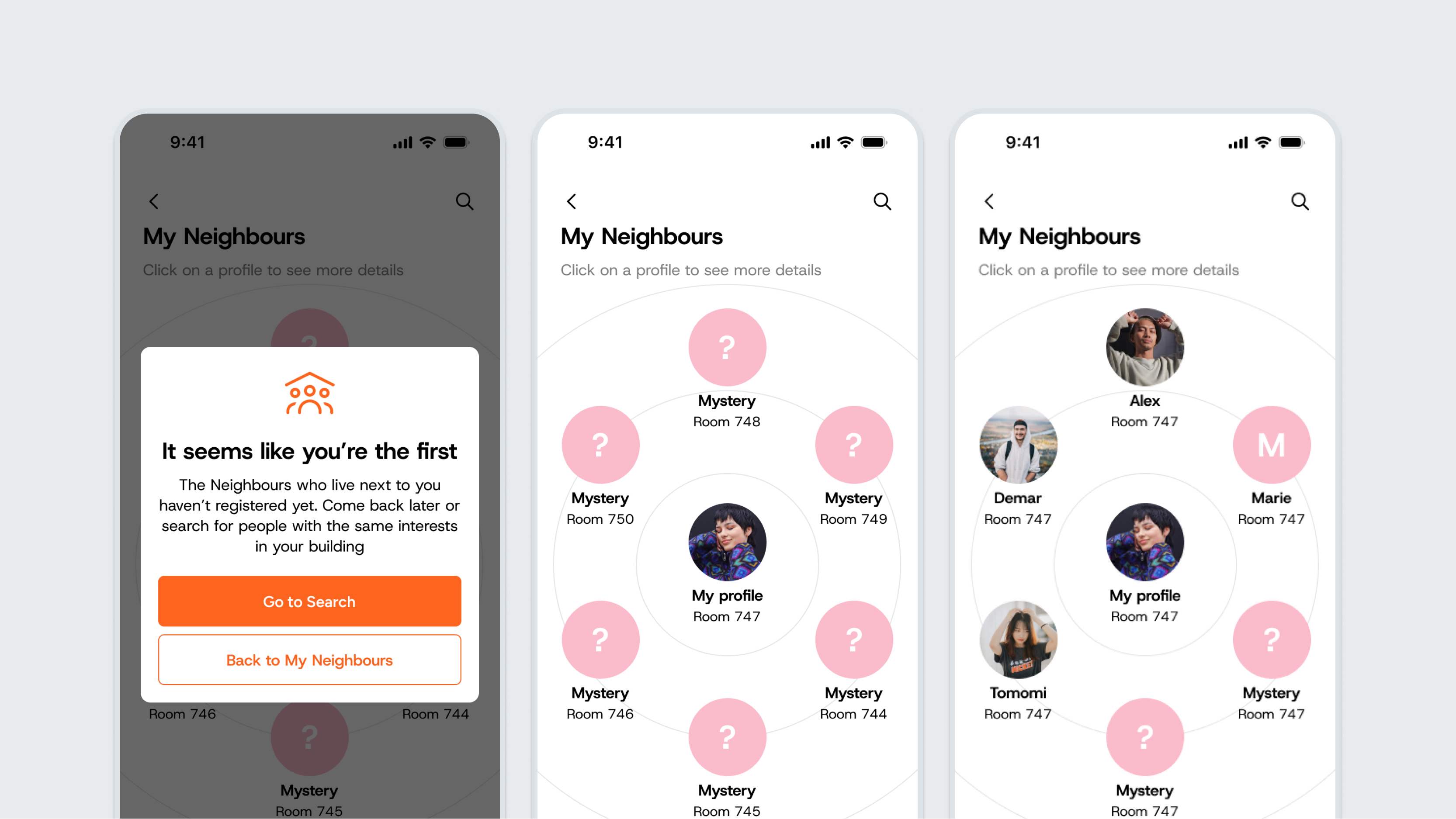
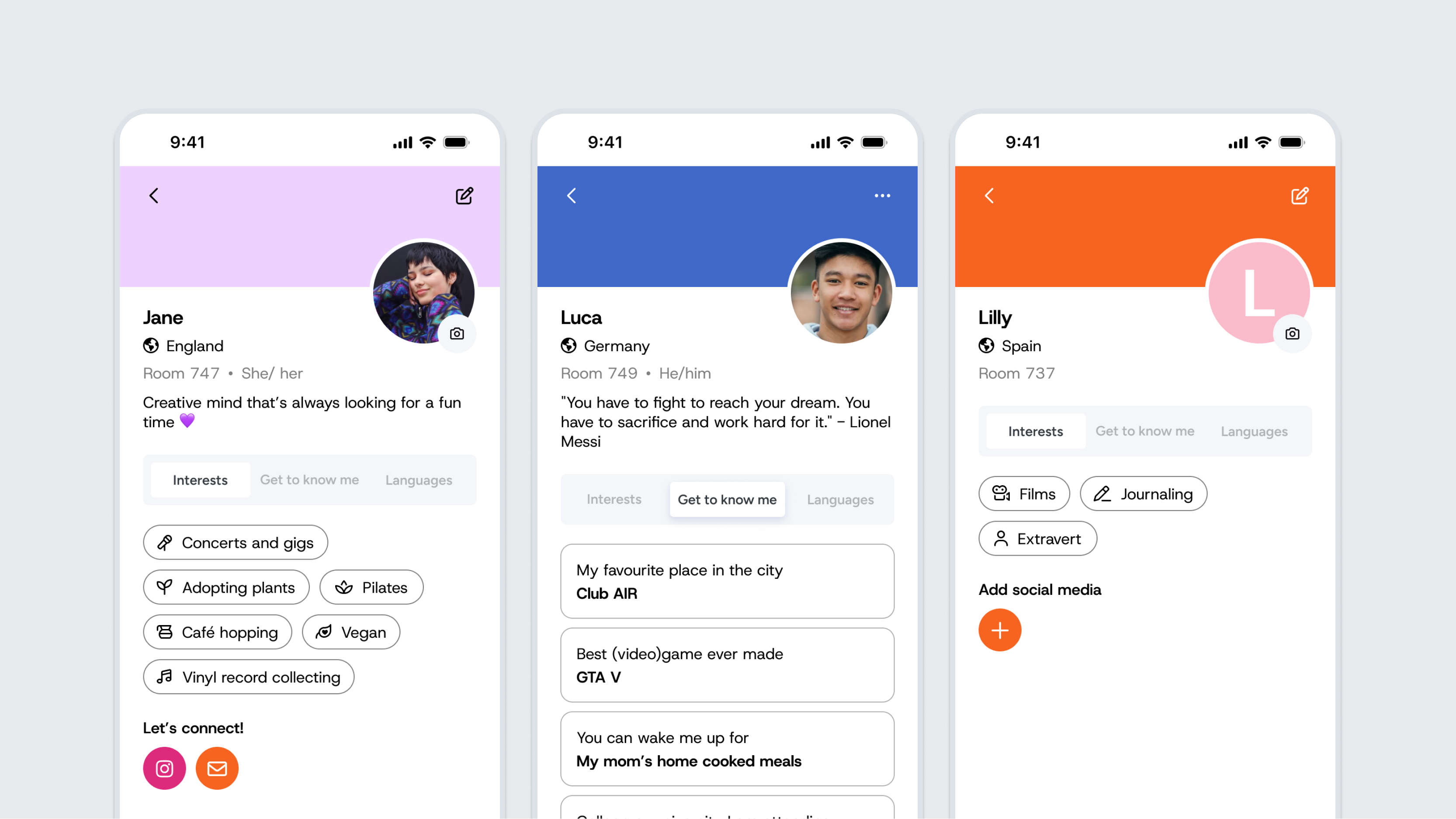
Residents can customize their profile to their liking and share only what they feel comfortable with. Are there international residents living in the building? Then it's handy to write the profile bio in English, so everyone can understand it and connecting becomes even easier.
A clear profile picture helps neighbours recognize one another. Those who prefer to keep a lower profile can choose to display just their initials as an avatar. By adding social media, neighbours can easily reach out outside the app as well.
Noticeboard
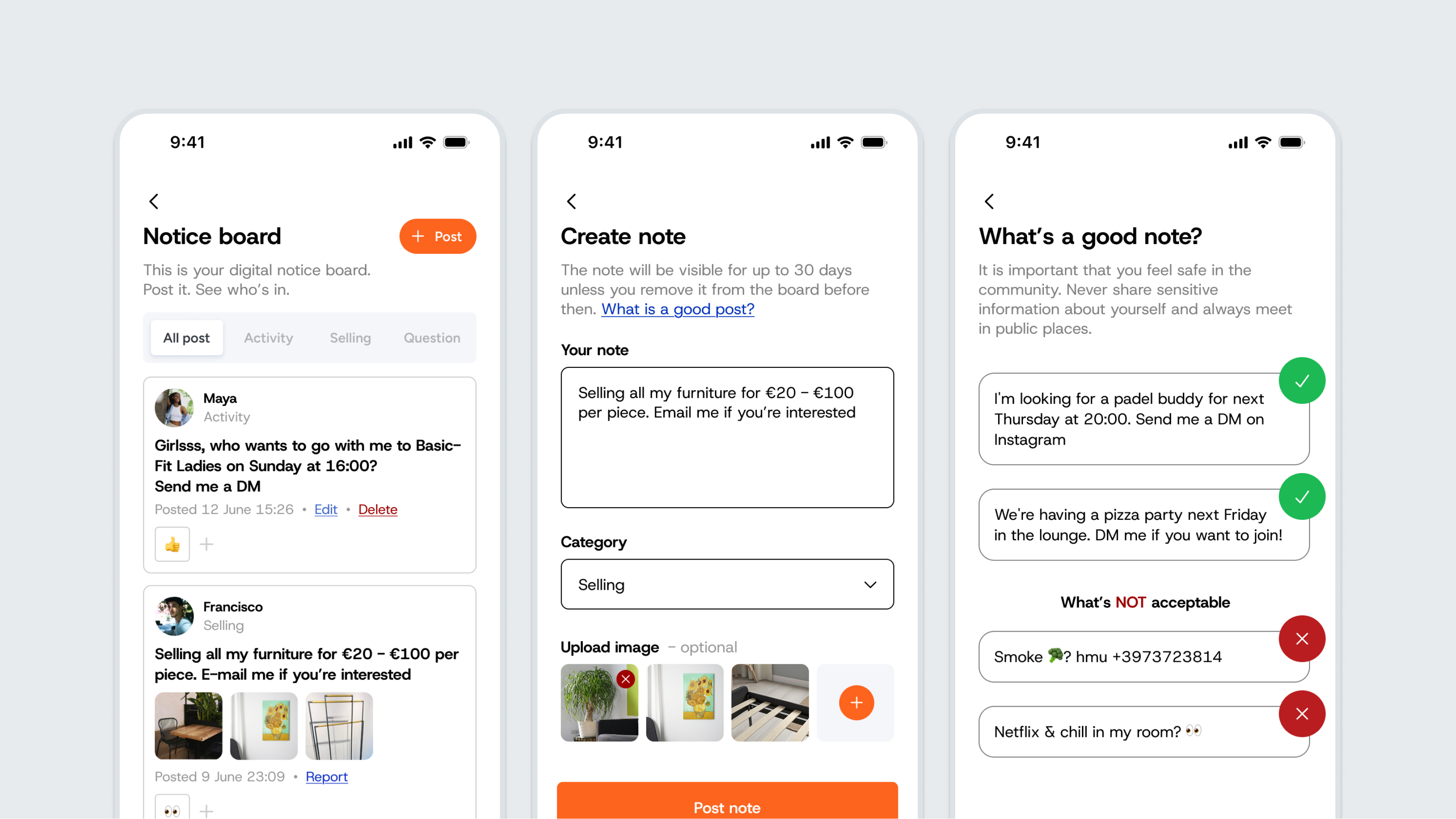
Are you looking for a workout or study buddy, someone to grab a cup of coffee with, or do you want to sell some things before moving out? Then the noticeboard is the perfect place!
Here, you can post a request or listing quickly and hassle-free. The advantage of the Notice Board is that you choose which social media channel to include. This way, students decide which platform to contact you on, and you keep control over your privacy.
Search and filter function
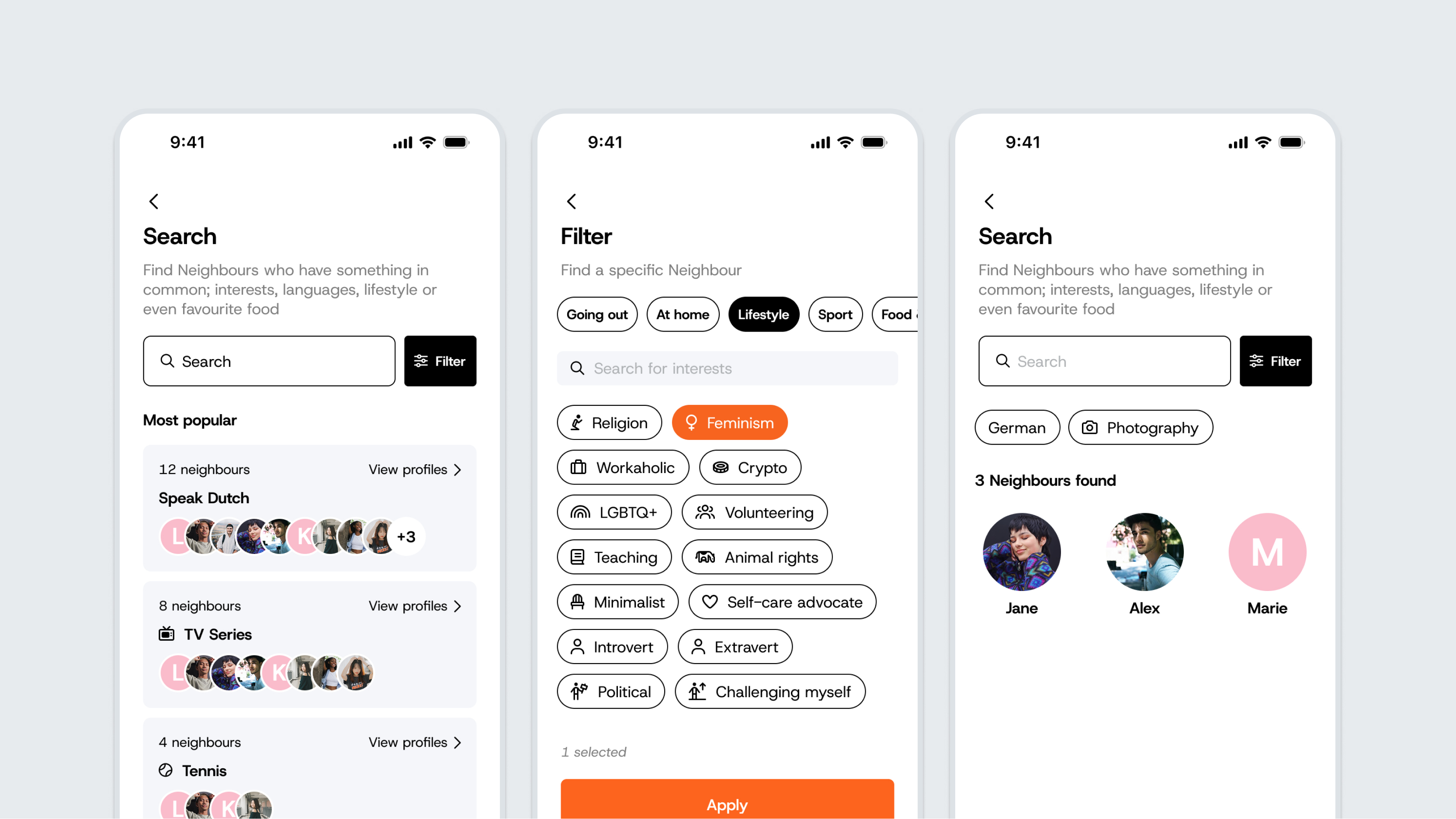
With the Neighbours profile, we encourage a sense of community. The convenient search function makes it easy for residents to find neighbours with shared interests and make connection effortlessly.
Looking for something more specific? Residents can use the filters. The more residents participate, the more extensive the filter options become. For privacy reasons, room numbers remain hidden.
Does a resident want to check the radar to see direct neighbours, but prefers not to be found via the search or filter functions? This can easily be turned off in the privacy settings.
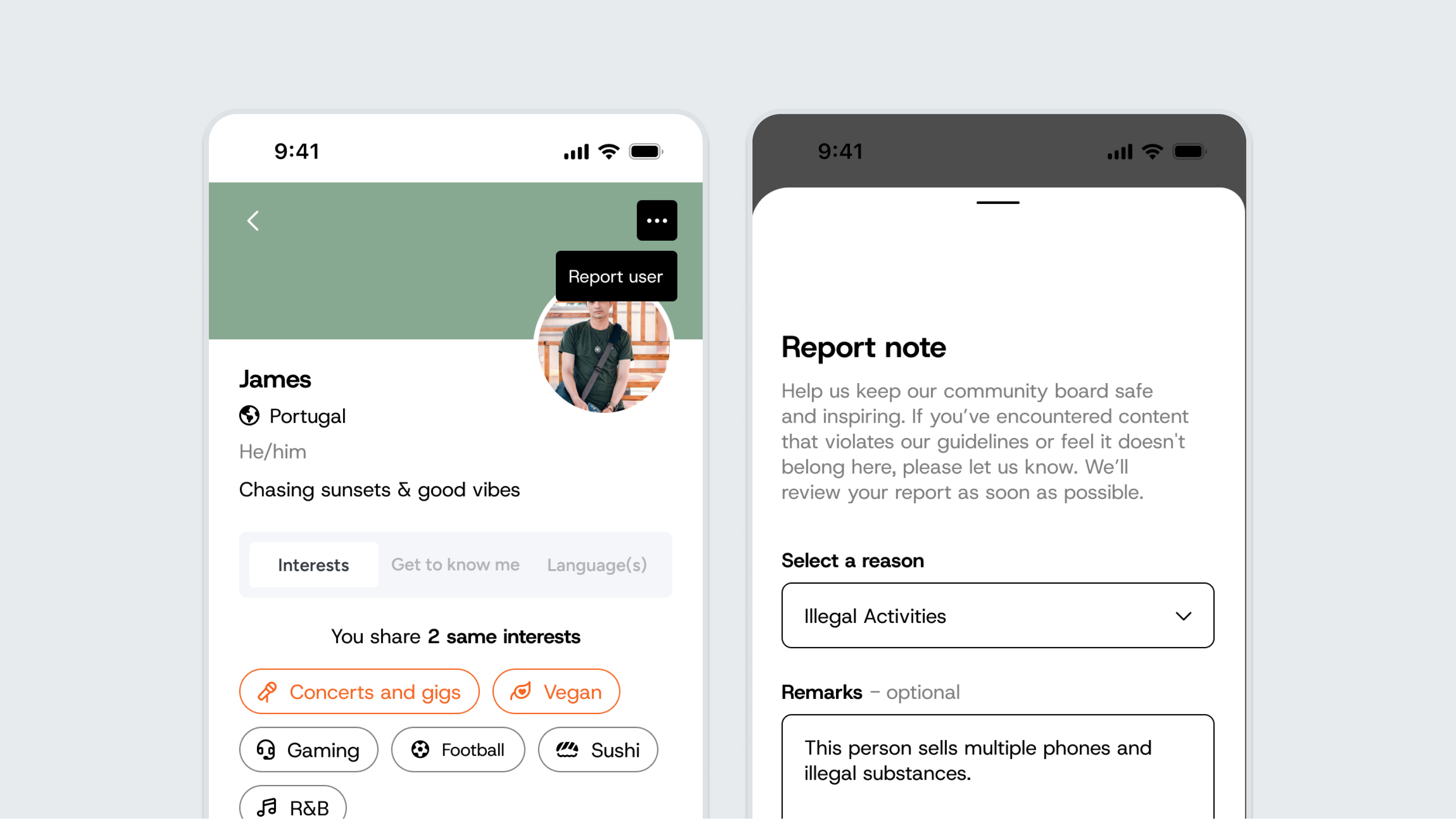
Report
We want to keep the community welcoming and safe for everyone. Meeting new people in a new environment can be daunting. That's why residents can easily report inappropriate content, whether it's something on a profile or a post on the Notice Board. Administrators review the report in Connect and can remove the profile or post if necessary. The outcomes of reported items are not shared with residents.