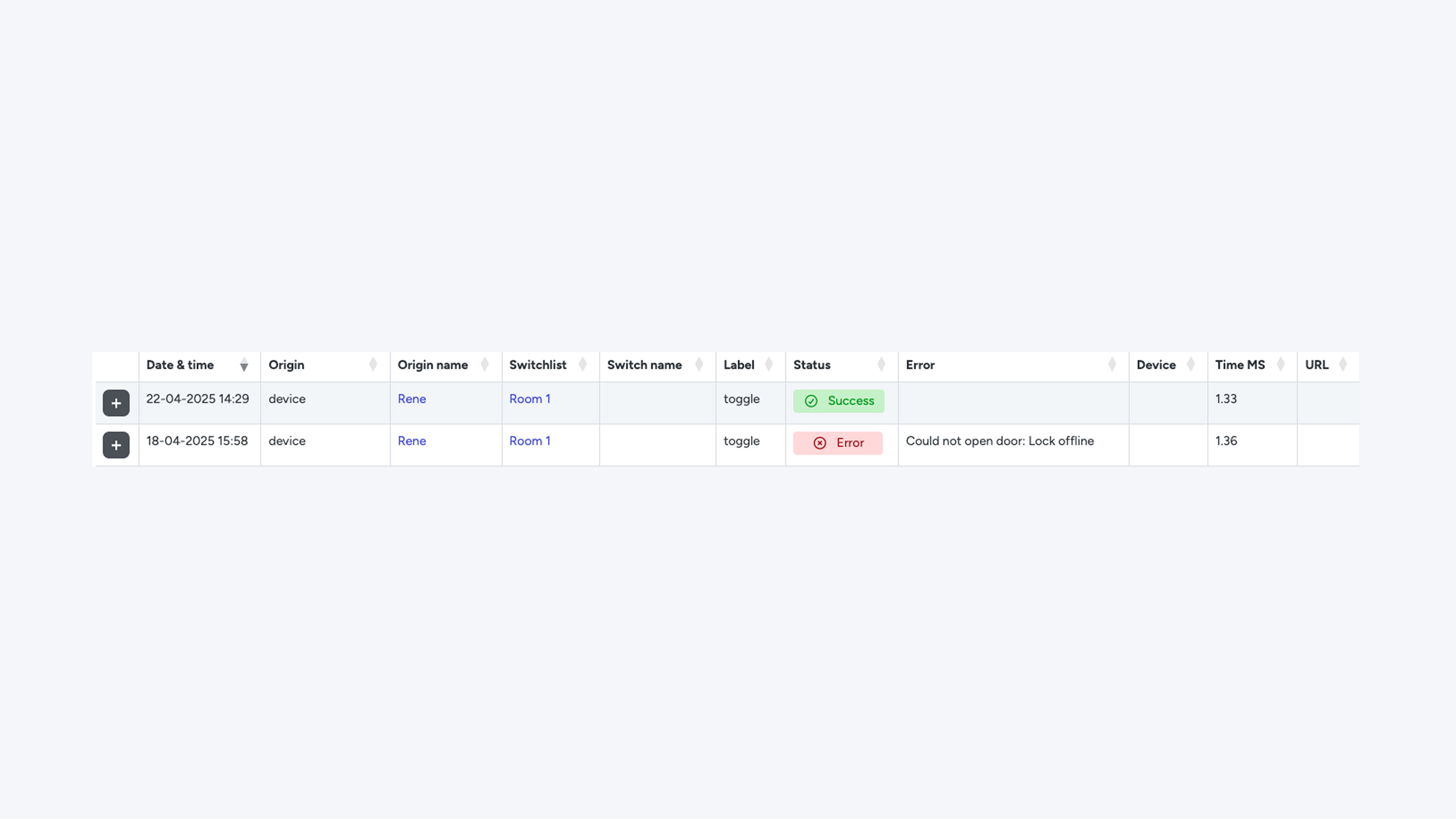
History (URL Calls History)
On this page, you can see all attempts to open doors, including whether they were successful or not.
Fields
- DateTime: The date and time when the attempt was made.
- Origin: The source of the attempt.
reception_tool means the action was performed via the (Reception / Management / Access) > Doors page.
device means it was performed via the web app. - Origin name: The name of the person who made the attempt. This can be someone with a key or someone with access to the CMS.
- Switchlist (Room / Trucks / Apartment / Company / Access Right): Indicates which locks the user had access to at that moment.
- (Switch / Door / Truck Door / Lock) name: The specific lock on which the attempt was made.
- Label:
- toggle = the lock opens and closes again after a few seconds
- open = the lock opens
- close = the lock closes
- Status:
- Success = an open request was sent and a successful response was received.
(Note: this does not always mean that the lock actually opened.) - Error = the opening attempt failed.
- Success = an open request was sent and a successful response was received.
- Error: Error message explaining why the lock did not open.
- Device: If known, the user’s device is displayed here.
- Time (ms): The time, in milliseconds, that the attempt took.
- URL (Hotek only): The Hotek URL used to control the lock.
Fallback URL (Hotek only): An alternative URL that is used if the first attempt fails.
zoom_in