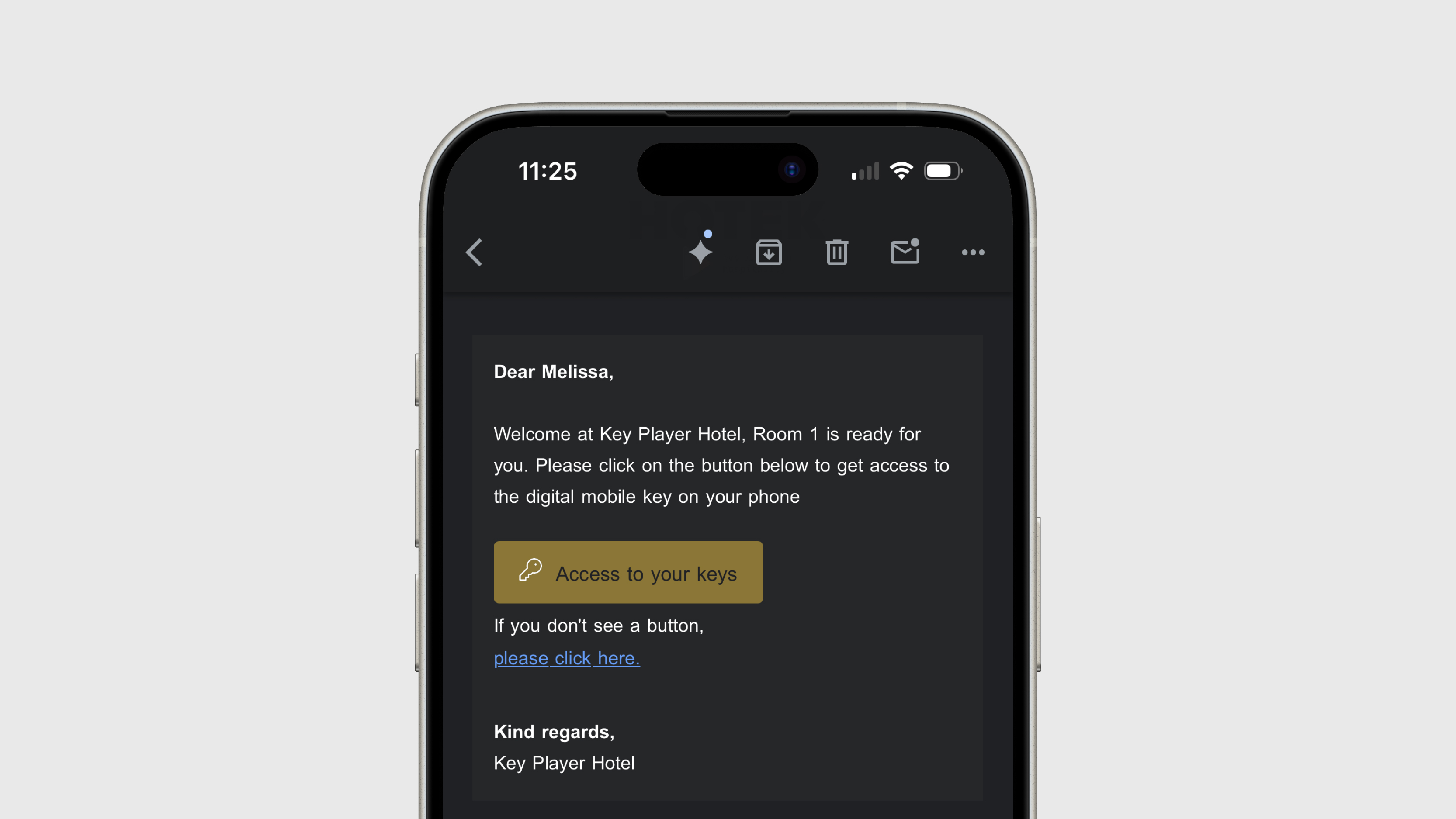
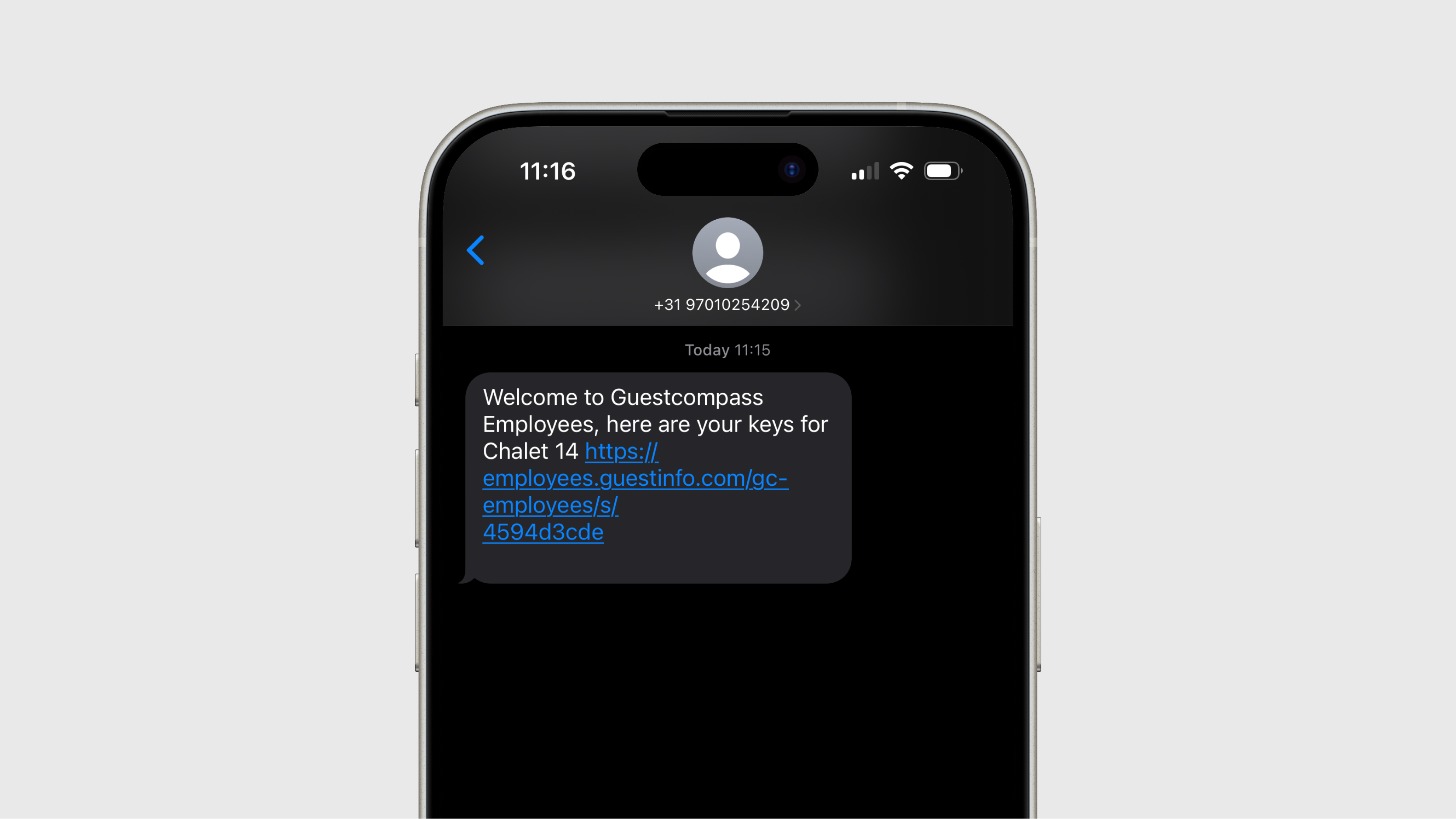
Connect GuestCompass to the PMS
By linking GuestCompass to the reservation system (PMS), every guest can automatically receive a personal smart link. With this smart link, we display personalized information in the web app, such as:
- Arrival and departure dates
- Room number
- Digital keys (if available)
- Connections with other systems (e.g., James, Butlaroo, Untill, etc.)
- Feedback forms without the need to re-enter data
We process reservation updates both prior to and during the stay. This includes changes to the length of stay or room moves. All adjustments made in the PMS are automatically synchronized with GuestCompass.
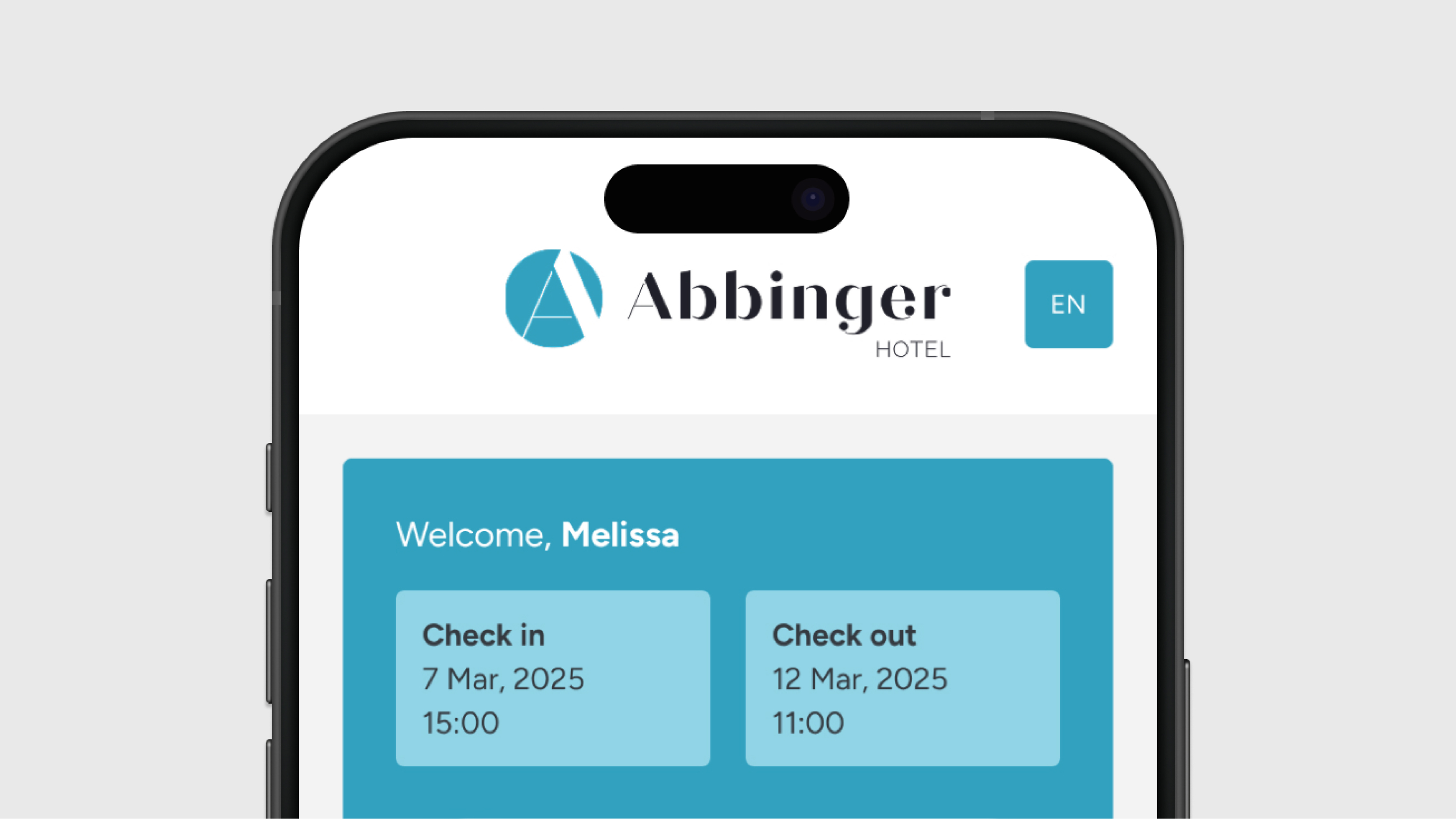
Sending the smart link
The smart link can be sent via email, SMS, or WhatsApp. You can also generate a QR code for a key and have the guest scan it. With certain PMS integrations, the smart link is retrieved by the PMS itself and delivered directly to the guest.
Timing of delivery
This varies depending on the integration:
- Most systems: Immediately after a guest is checked in within the PMS—specifically, when the guest status is set to "in-house."
- Specific integrations: We can send the smart link to the guest prior to check-in. In these cases, the delivery time can be customized, often set to 3 or 4 hours before the scheduled check-in time.
If an email address is updated in the PMS after check-in, we will automatically resend the smart link.
Using the smart link
The smart link works immediately upon receipt.
- Digital keys: If digital keys are integrated, doors can only be opened once the guest has been checked in within the PMS.
- Sharing keys: Keys can easily be shared using the “share” button located beneath the door sliders.
- Group bookings: If the person who booked receives multiple emails, they can easily forward these to their fellow guests. This ensures that every guest has the key to their own room on their phone.
Important considerations
Whitelisting SendGrid
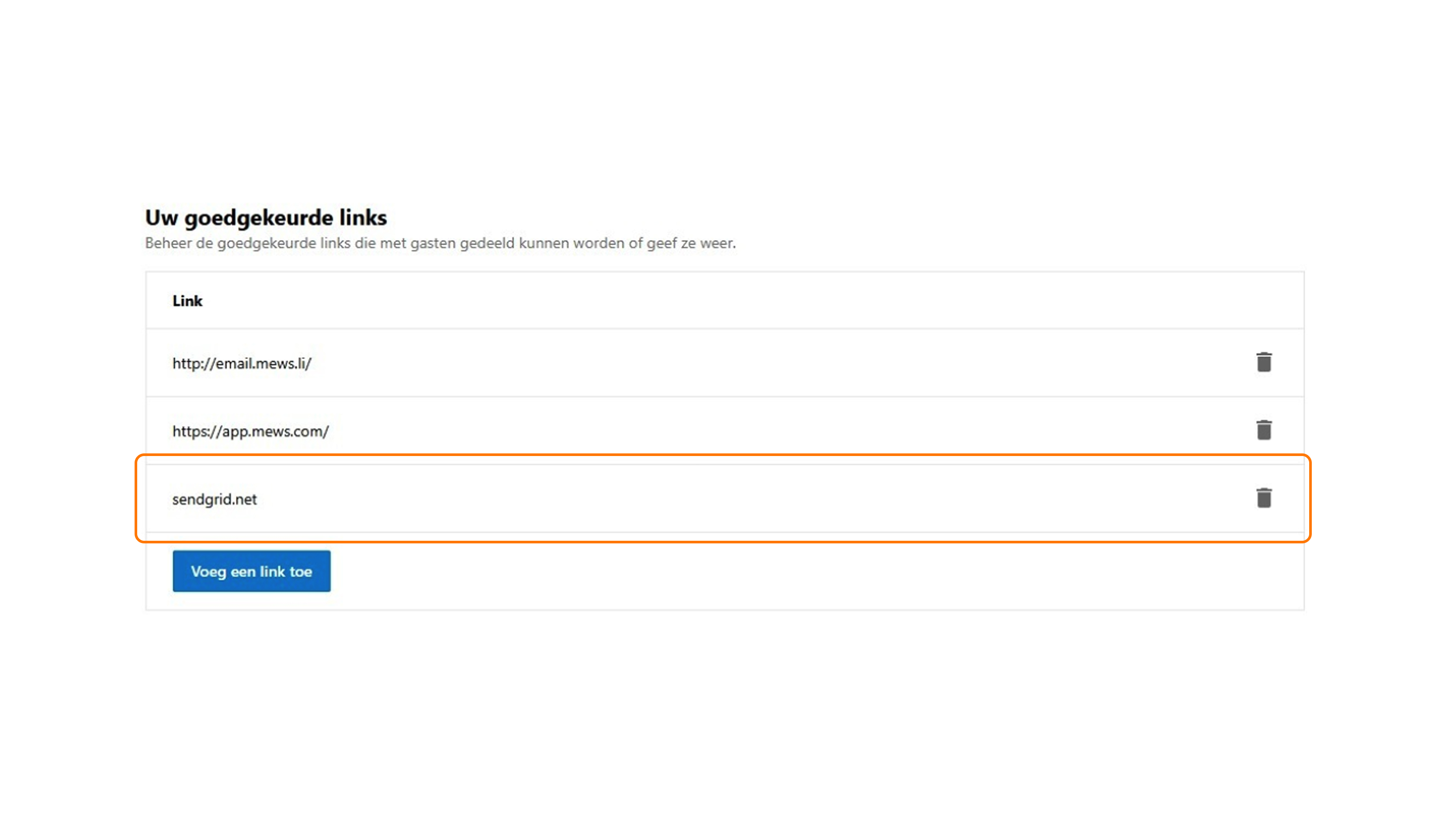
Emails are sent via sendgrid.net, the email service used by GuestCompass to deliver all communications.
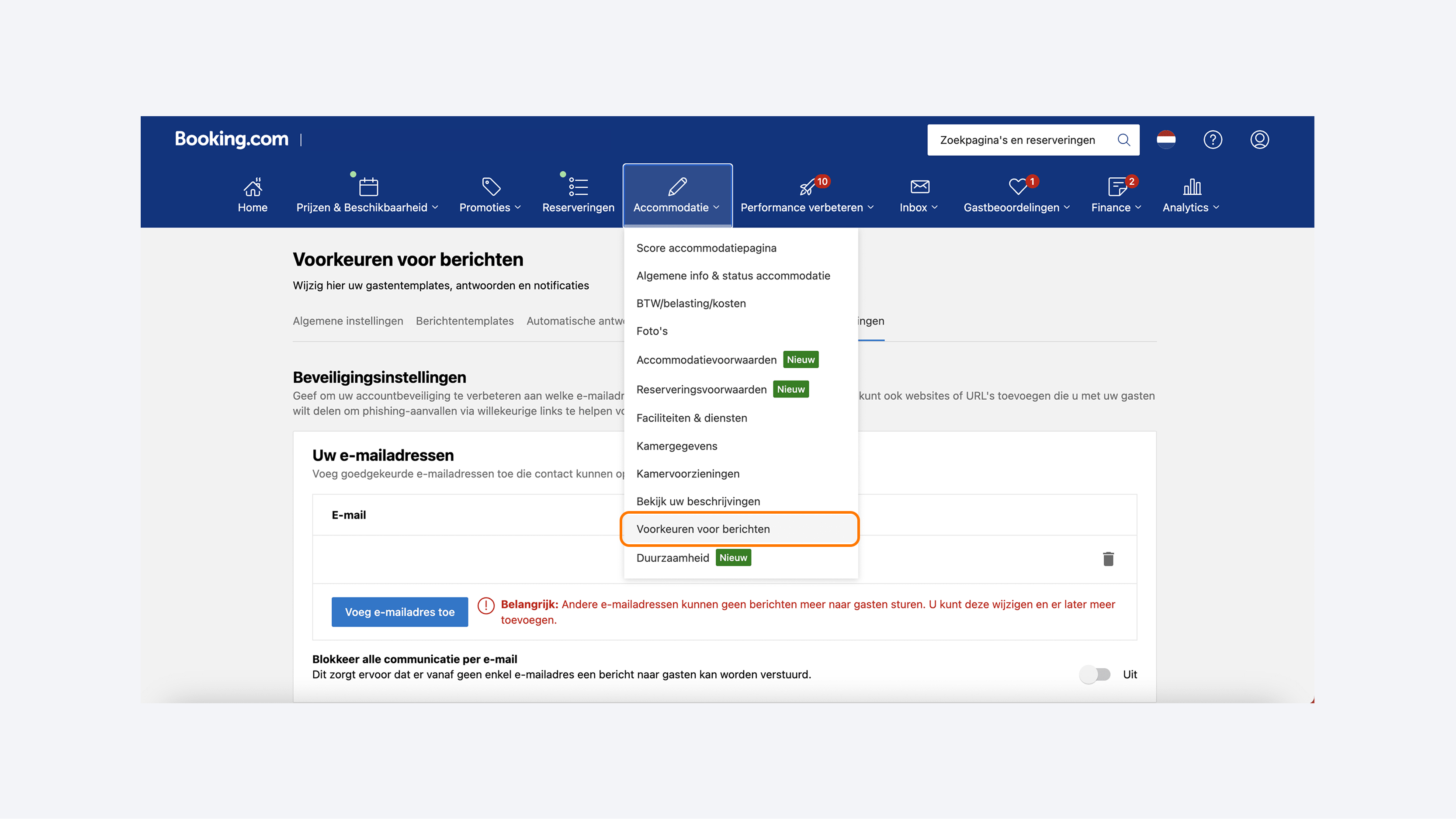
Booking.com forwards our emails to the guest's personal email address. To ensure the smart link remains clickable in the guest's inbox, please whitelist the sendgrid.net domain in the Booking.com Extranet. Note that these links do not function within the Booking.com app itself.
Multi-room bookings
- Only the booker is known: GuestCompass sends a separate message for each room to the primary booker.
- Want guests to receive their own message per room? Simply add the individual guest details to each room within the PMS.
Customizing messages
In the backend under ‘Messaging’, hoteliers can customize the email, SMS, and WhatsApp templates (including logos and colors).
Rooms & access rights
Each room has a unique number in the PMS. GuestCompass configures the access rights and any other integrations specifically per room.
Activating the integration
- GuestCompass will notify the hotel as soon as the connection is active.
- The hotel specifies which channels should be used to send messages (Email, SMS, WhatsApp).
- For staffless (reception-free) hotels, we often recommend a combination of Email + SMS.