Modules in (Web)App
20+ Modules
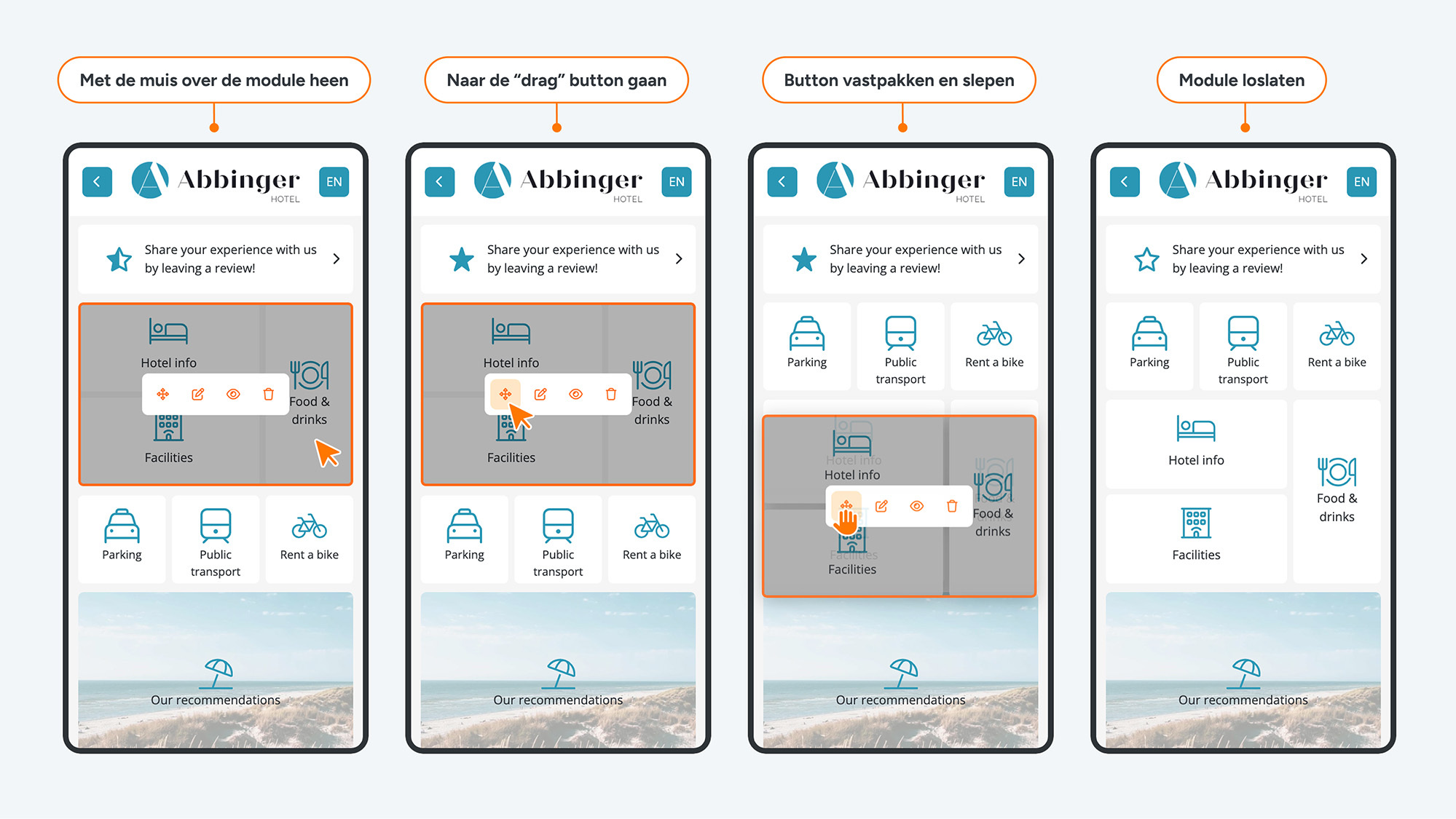
To build your (web) app, you use a variety of modules that you can add and customize entirely to your liking. These modules can easily be dragged from the left side of the screen to the desired position within the (web) app preview. Once a module is placed, a settings menu automatically opens, allowing you to further configure the module.
When you hover your mouse over a module, several options appear. These allow you to move the module, temporarily hide it, or permanently delete it. Please note: once a module is deleted, it cannot be restored. There is no limit to the number of modules per page.
On our platform, you’ll find a wide range of modules you can use to build your (web) app, including:
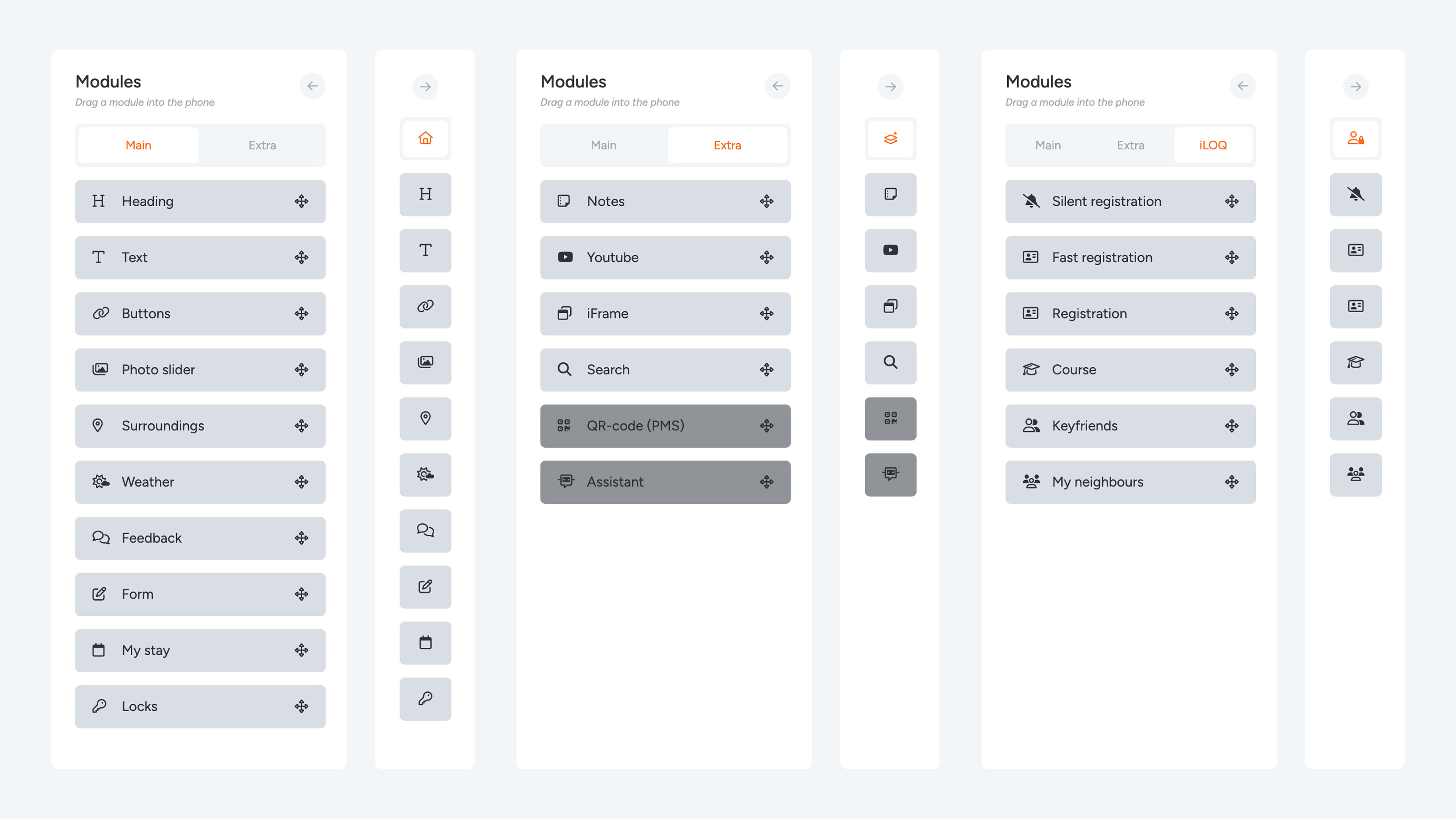
Modules
Main modules
- Heading
- Text
- Buttons
- Photo slider
- Surroundings
- Weather
- Feedback
- Forms
- My stay
- Locks
Extra modules
- Notes
- YouTube
- iFrame
- Search bar
- QR code (PMS)*
- Assistant*
iLOQ modules (only visible for apps with iLOQ)
- Silent registration
- Fast registration
- Registration – cannot be combined with other modules on a single page
- Course – cannot be combined with other modules on a single page
- Keyfriends
- My Neighbours – cannot be combined with other modules on a single page
* Admin only
