14. Surroundings
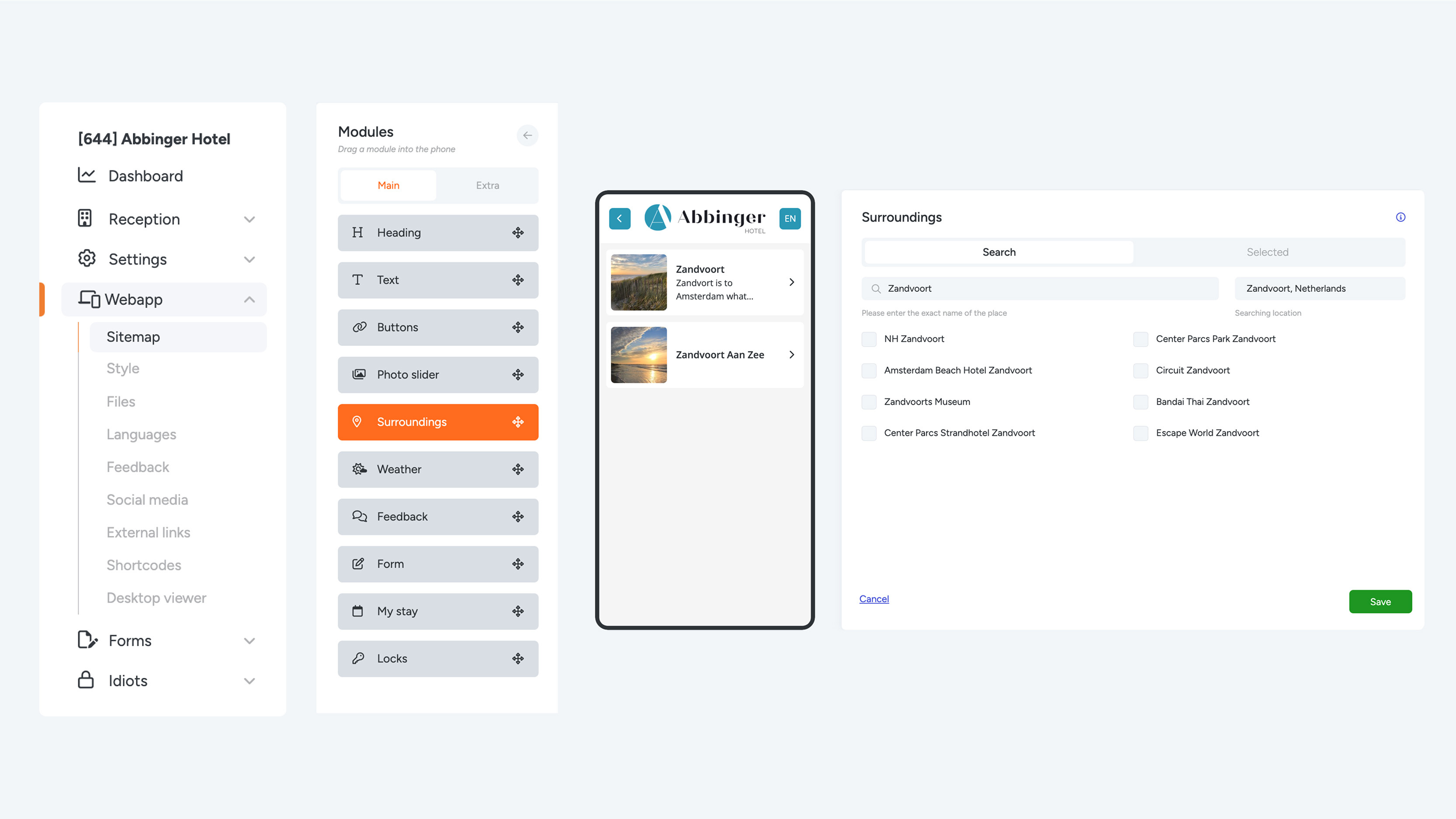
If you would like to inform your guests or residents about nearby attractions, you can easily do so using the Surroundings module. This module automatically retrieves information from Tripadvisor, ensuring that content is loaded effortlessly and always remains up to date—without the need for manual updates.
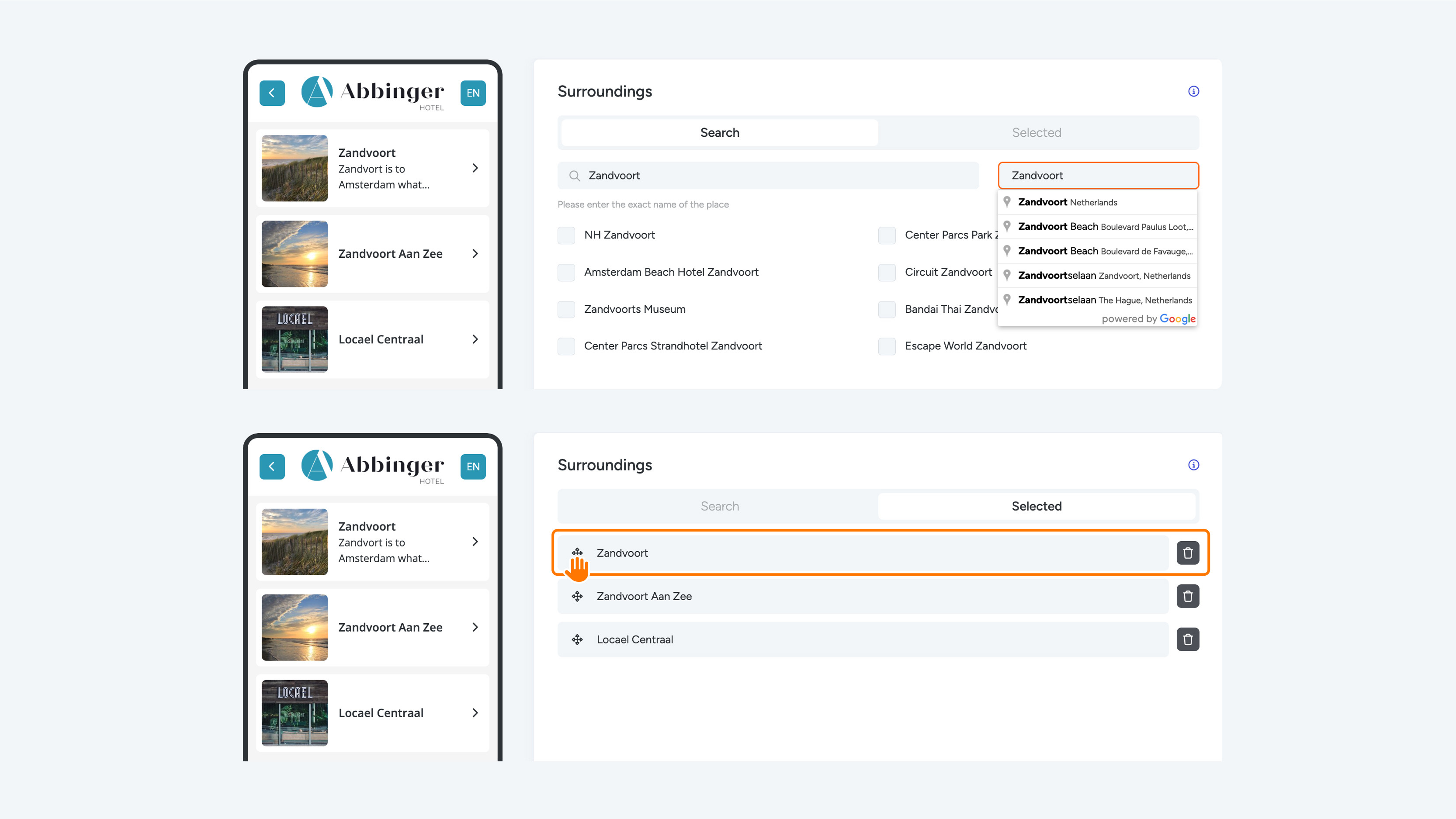
To add a recommendation, first enter the location on the right-hand side and select the correct result from the dropdown menu. Once the location is selected, you can add it as a recommendation. Make sure to enter the exact name of the location.
Tip: Check in advance whether the recommended location is listed on Tripadvisor, so you can copy the exact name into the module.
After adding a recommendation, it will appear in the phone preview and under Tab 2 (“Selected”). In the Selected tab, you can remove recommendations or change their order by dragging and dropping them using the icon next to the recommendation title.
You may receive a notification indicating that no description or image is available. This happens when Tripadvisor does not provide complete information. Since these details cannot be manually edited within our platform, you may choose to create a more detailed page using the Button module if you want to add additional information.