15. Weather
Weather
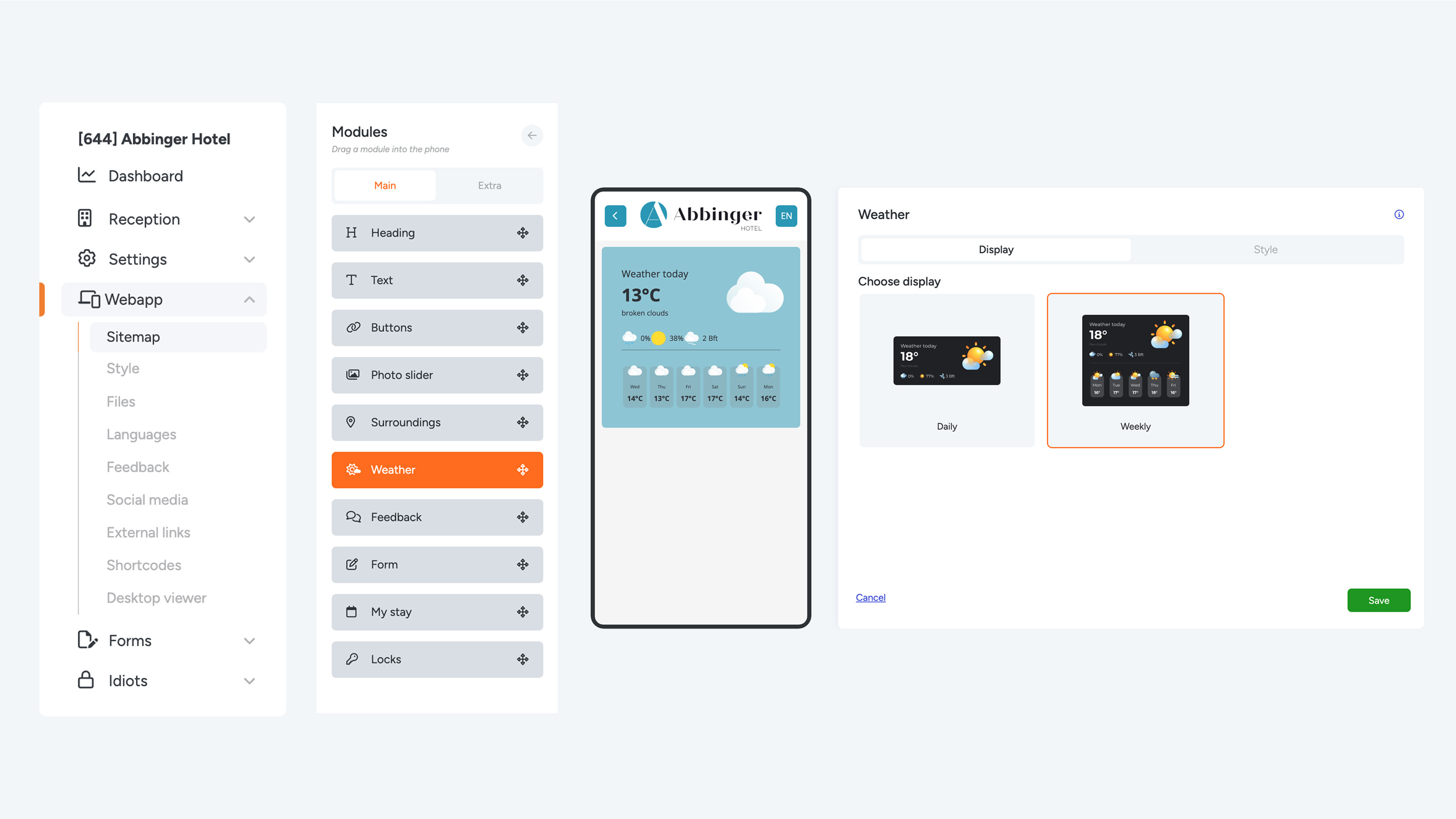
It is always appreciated by guests to be able to check the weather before planning activities during their stay. To keep them well informed, you can add a Weather module to the (Web)App. It is important to enter the correct location under Settings > Edit Company > GPS (building address). This location will automatically be used in the Weather module.
If you cannot find this option in the menu, ask a colleague with higher permissions to enter the location.
There are two different Weather modules you can choose from:
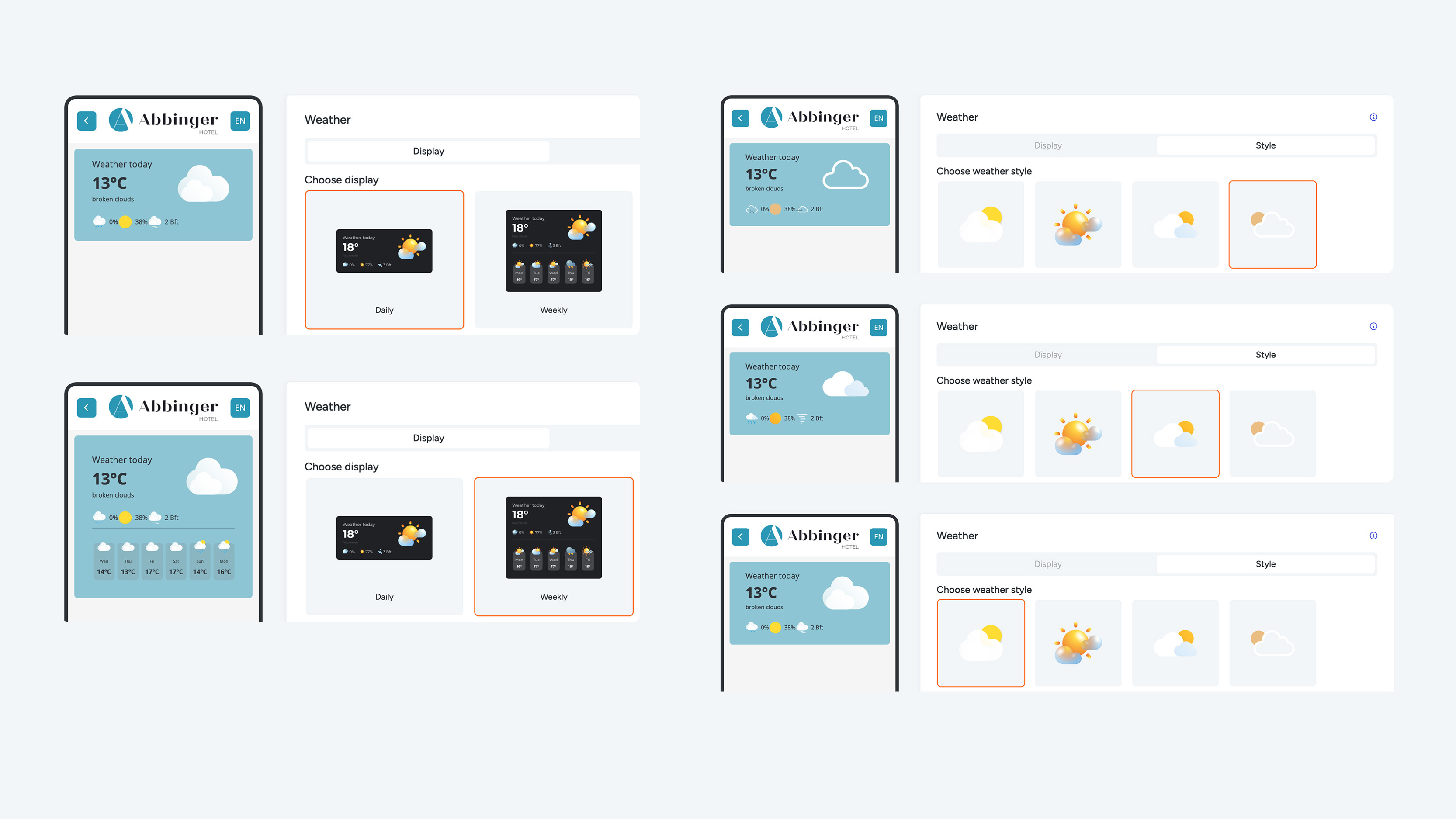
- Daily:
This module shows only the weather for the current day. It is ideal for guests looking for short-term information about today’s weather.
- Weekly:
This module provides a weather forecast for the coming days, allowing guests to plan their activities more effectively.
After selecting the desired module, go to the Style tab to choose one of the five available weather illustrations. These illustrations are automatically updated and changed to adapt to the current weather, ensuring the information remains accurate and visually appealing.
Make sure to click Save to store the Weather module.