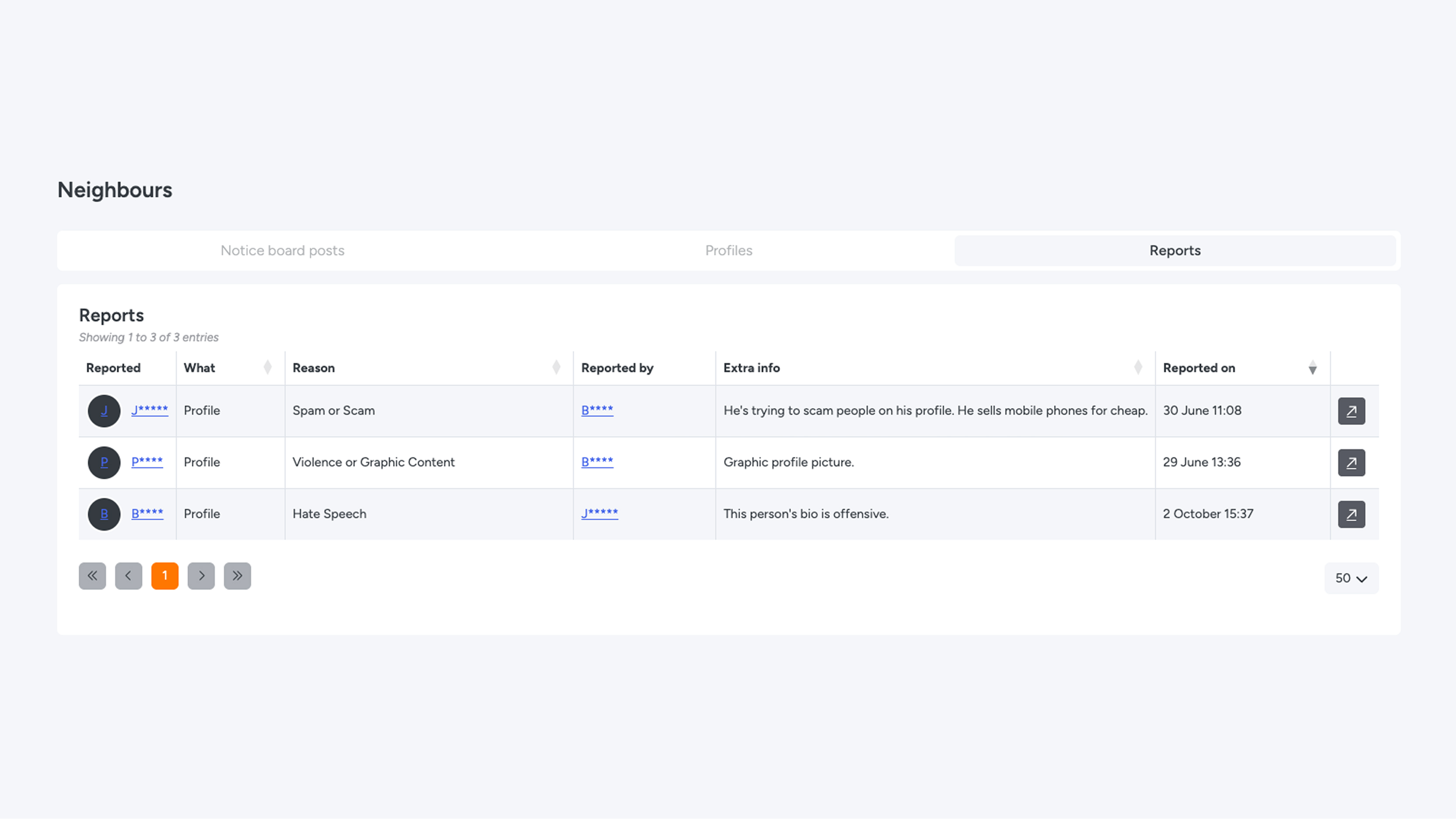
Neighbours overview
To use the Neighbours overview, the Neighbours module must first be enabled. Read more here on how to easily activate and set up the module. In this manual, the privacy policy has been applied and is visible in the images.
Management & safety
An active community requires continuous management. To make Neighbours a safe and pleasant environment for everyone, it is important to check the overview regularly. The overview allows you to easily maintain control and step in whenever necessary.
Communication & social media
There is no direct communication or chat within the app. Instead, contact between residents takes place via external platforms and social media.
- For residents: Residents can link their own social media profiles (such as WhatsApp, Instagram, Snapchat, or Facebook) to their account. This allows other residents to easily contact them via their preferred platform.
- For administrators: As an administrator, you have full control over which social media channels are available. In the module settings, you can choose which platforms residents are allowed to add to their profile.
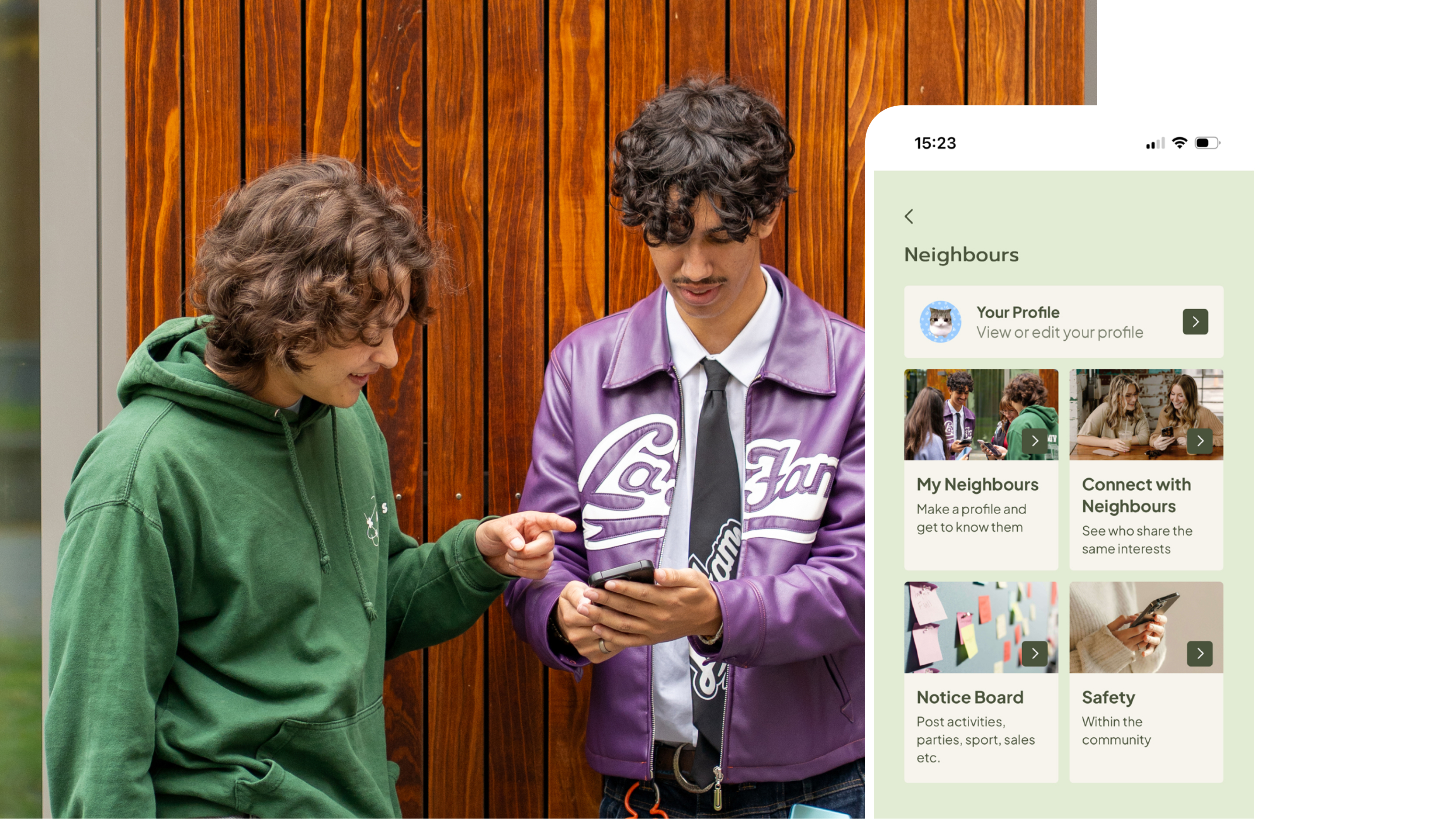
Tab 1 - Noticeboard posts
Here you can see all posts submitted in the last 30 days. As an administrator, you can view and/or delete posts if they are not appropriate for the noticeboard. The resident will not receive a notification about this. By using the dropdown, you can easily switch between properties.
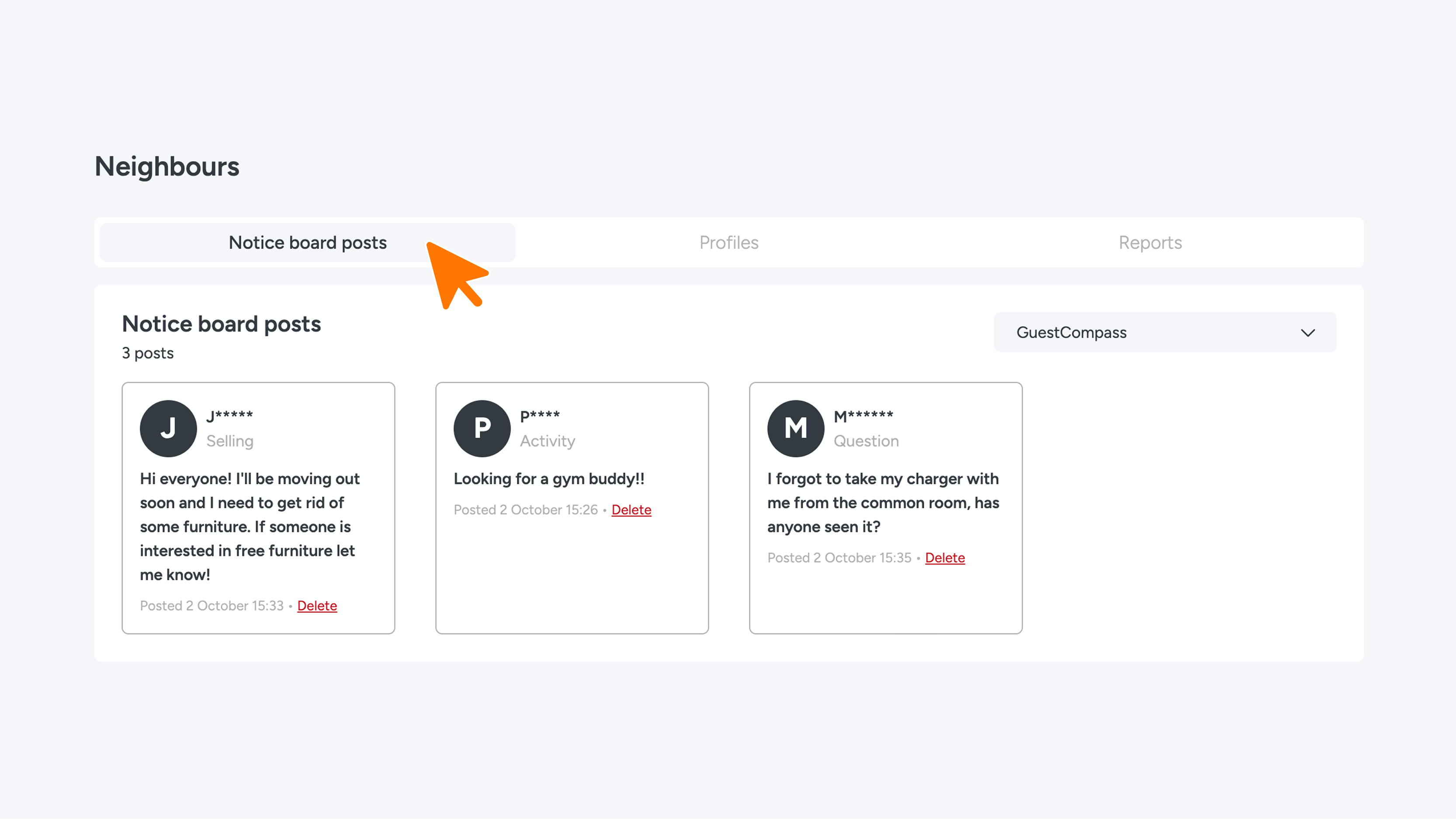
Tab 2 – Profiles
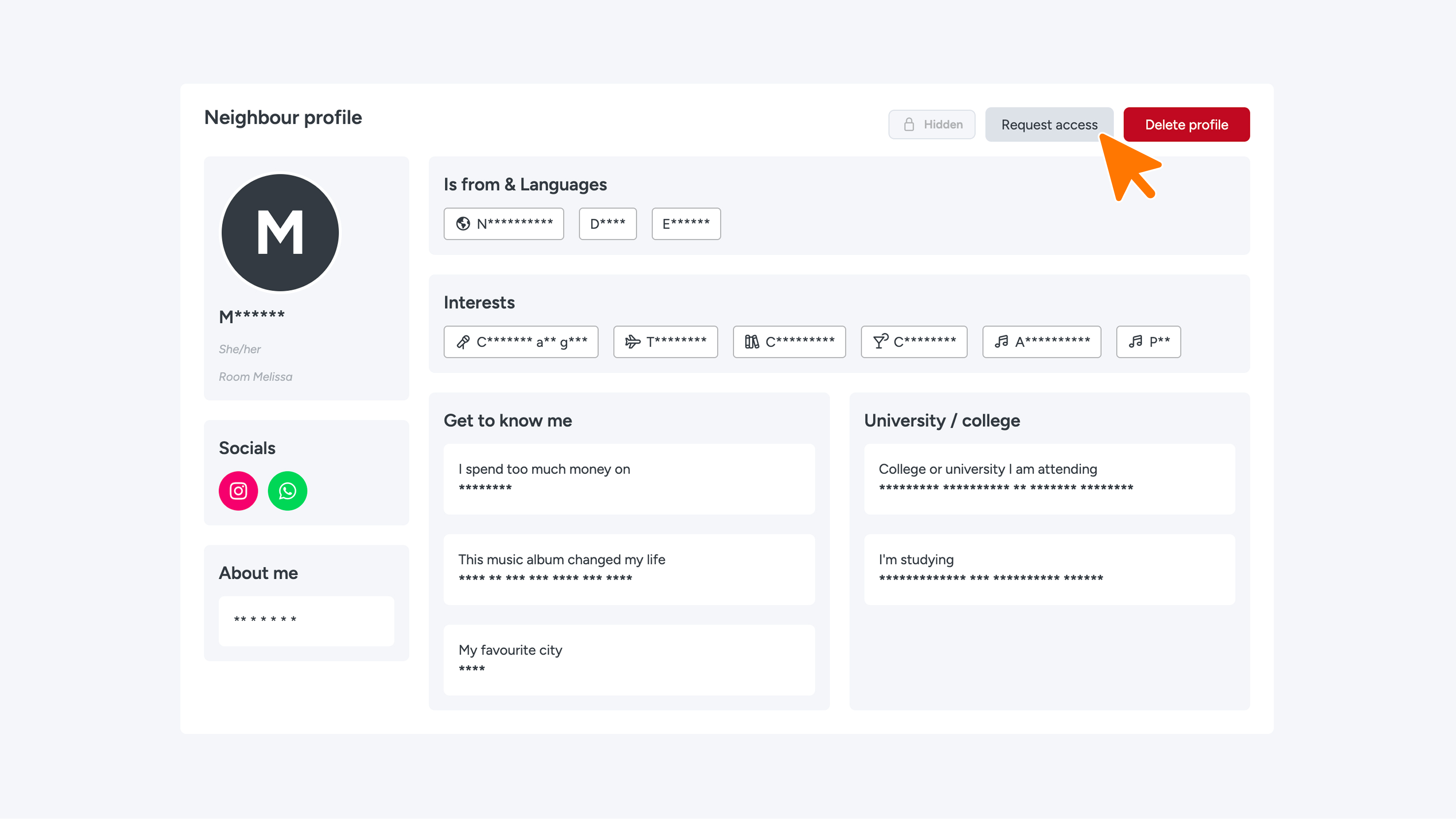
On this tab, you will find an overview of all profiles. Click on a profile to view all details.
Are certain details hidden due to the privacy policy? You can submit an access request. To do so, click the 'Request access' button and enter the reason for your request. How this is processed varies by organization; it depends on the relevant administrator when your request will be taken into consideration.
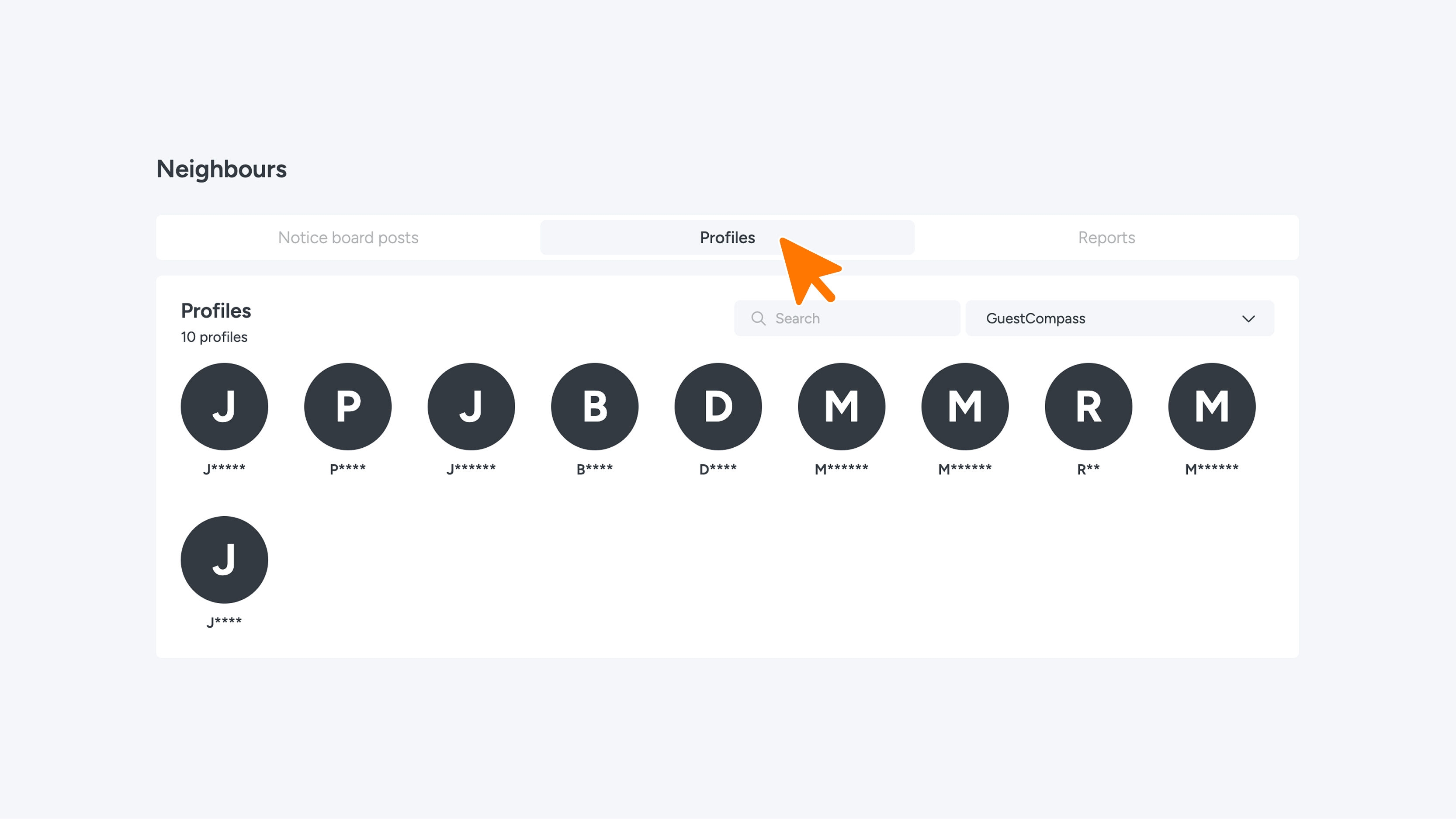
Tab 3 - Notifications
On this tab, you can see all reports from residents reporting inappropriate behavior or incorrect messages. This helps keep the environment safe and pleasant for everyone.
What residents can report
Residents can report a profile or a noticeboard post. They choose a reason for this and can provide an extra explanation, so you immediately know what is going on.
Actions you can take
As an administrator, you view the notifications in Connect and decide what action to take. For example, you can:
- Delete a post from the noticeboard.
- Delete a resident's account.
No automatic messages
When you take action in Connect, no automatic message is sent to anyone. The person who reported it and the reported individual will not automatically see this. If you still want to let them know, you can contact them directly (for example via email or in person).